
- PlainJPG
- WebP to JPG or PNG
Converter for Windows 10 & 11WebP to JPG or PNG, by the folder.
PlainJPG converts any WebP image a browser saved into a plain JPG, or a PNG when the image is transparent, one file or thousands at once, entirely on your PC. The EXIF data and file dates come along; nothing is uploaded.
Free for 25 images · then $15, once · no codec needed for WebP
Why your browser keeps saving WebP
WebP is Google's web image format. It packs a photo into roughly a quarter to a third less space than a JPG of the same quality, so most sites serve it, and Chrome, Edge, Firefox and Safari save whatever the server sent. The address bar can end in .jpg while the file in your Downloads folder is .webp.
Browsers and Windows Photos open WebP fine. The trouble starts when the image has to go somewhere else: an older Photoshop or Lightroom, a Word document on an older Office, a print shop's upload form, a forum, a CRM, an e-commerce back office, a PowerPoint on someone else's laptop, a digital photo frame. Those want a plain JPG or PNG, and years of collected reference images become unusable until they are converted.
How to convert WebP to JPG on Windows with PlainJPG
- Install PlainJPG (free download, Windows 10 and 11, x64 and ARM64). WebP needs no extra codec: the decoder is built into the app.
- Drop the files or folders on the window, or right-click a
.webpin File Explorer and choose Convert to JPG with PlainJPG. Folders are scanned with their subfolders; anything that is not WebP, HEIC or AVIF is left alone. - Pick the output. JPG for photos, with a quality slider (92 by default). PNG for graphics. Auto writes PNG only when an image has transparent pixels and JPG otherwise.
- Choose where it goes: next to the original, into one folder, or replace the original (which then goes to the Recycle Bin, never straight to deletion).
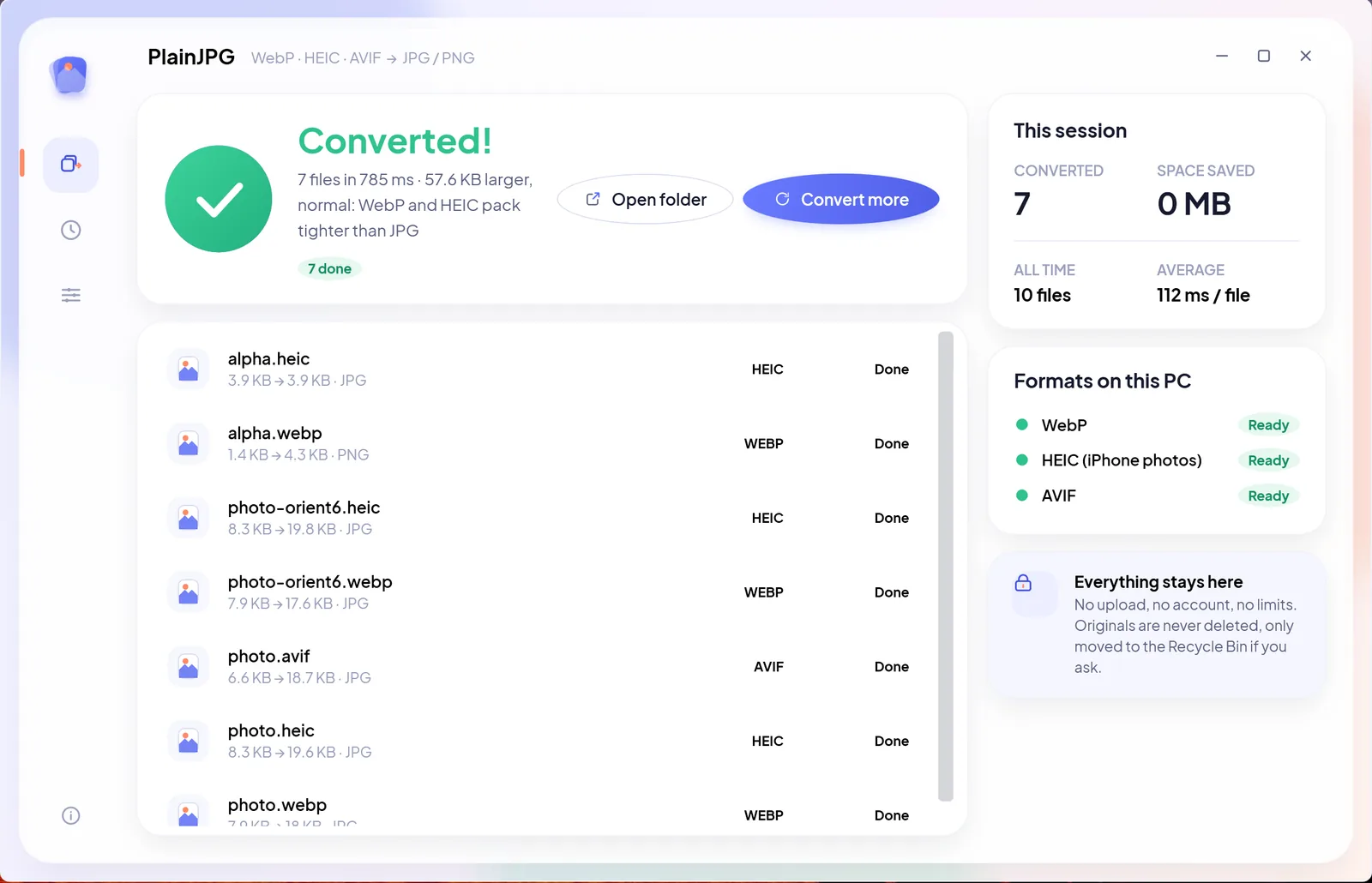
- Click Convert. Every CPU core takes a file. Each row shows the new name and size, and History remembers where everything was saved.
WebP to PNG: when to choose it
JPG cannot hold transparency and it softens hard edges, so a logo, an icon, a cut-out product shot or a screenshot with text is better as PNG. PNG is lossless: the pixels are stored exactly, at the cost of a larger file. Photos, on the other hand, are smaller and look the same as JPG.
You do not have to decide per file. Leave the output on Auto and PlainJPG checks the pixels: any transparency and the file becomes a PNG, otherwise a JPG. Forcing JPG on a transparent image composites it on white.
Free ways to convert one WebP, and where they stop
| Method | Good for | The catch |
|---|---|---|
| Paint or Photos, Save as | One image, no install | One file at a time; metadata and file dates are not kept |
| Online converters | A handful of images | Your file is uploaded; daily limits; EXIF usually stripped |
| Browser extensions that save as JPG | Images you save from now on | Does nothing for the folders you already have |
| PlainJPG | Any number of files and folders, offline | $15 once after a 25-image trial |
What stays with the picture
- EXIF and XMP: date taken, camera, lens, location and any edit history a WebP carried are written into the JPG or PNG. Turn Keep camera info off to share a file with no metadata.
- Orientation: if the WebP relied on a rotation tag, the pixels are rotated and the tag reset, so the image is upright in every program.
- File dates: created and modified dates are copied from the WebP, so the converted folder still sorts by date.
- Nothing else: no watermark, no resizing, no upload, no account.
WebP to JPG questions
How do I convert a WebP image to JPG on Windows 11?
For one image, open it in Paint or Photos and use Save as with JPG as the type. For many images, install PlainJPG, drop the files or their folder on it, set the output to JPG and click Convert; every WebP becomes a JPG with the same name next to the original.
Why does Chrome save images as WebP?
Because the website served WebP to save bandwidth, and the browser saves what it received. Saving the page as JPG is not an option the browser offers; converting afterwards is.
Does converting WebP to JPG lose quality?
The pixels are decoded once and re-encoded as JPG at quality 92 by default, which is visually identical for photos. Move the slider to 100 for the least loss, or choose PNG, which is lossless.
Can I convert a whole folder of WebP files at once?
Yes. Drop the folder and PlainJPG converts every WebP in it and in its subfolders in one batch, with no file count limit.
Is there a way to do it without uploading my images?
PlainJPG runs entirely on your PC and makes no network requests, so the images never leave the computer. Online converters upload each file to their server and usually cap how many you can convert per day.

Every WebP in the folder, a JPG in one go.
Download PlainJPG for WindowsAlso converts HEIC to JPG and AVIF to JPG.