
- PlainJPG
- HEIC to PNG
Converter for Windows 10 & 11HEIC to PNG, lossless, a whole folder at once.
You need your iPhone photos as PNG, exact pixels and maybe transparency, and Windows will not even open the HEIC. PlainJPG converts HEIC and HEIF photos from an iPhone, iPad or Android phone into lossless PNG (or JPG) on your Windows PC, by the folder. Transparency, date taken, camera, GPS and orientation are kept. Nothing is uploaded, and there is no codec to install.
Free for 25 images · $15 once for 2 PCs · nothing uploaded
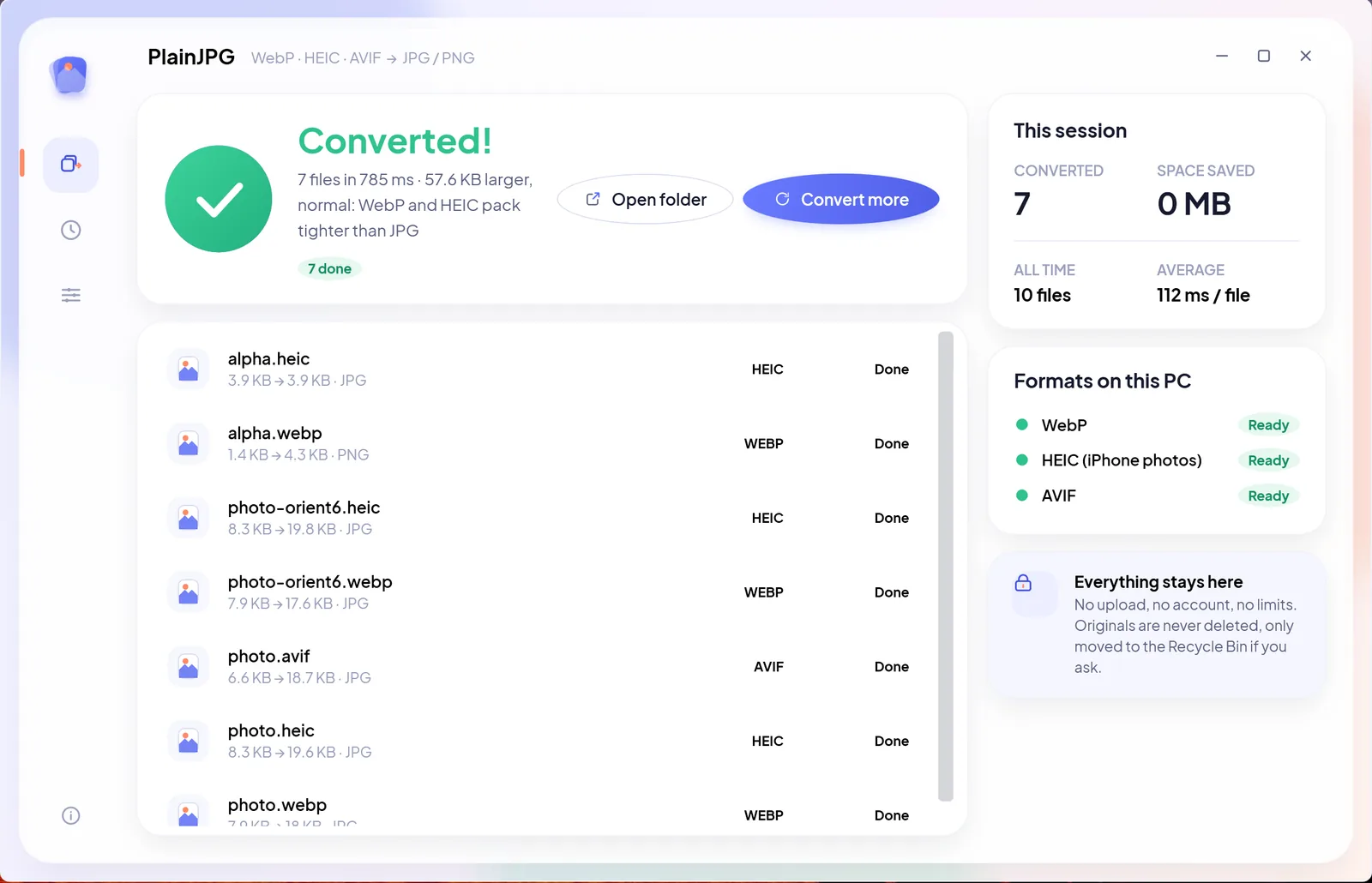
When a HEIC should become a PNG, not a JPG
A form asks for PNG, a design tool wants transparency, or you plan to edit the photo again and do not want JPG's second round of compression. Every iPhone since iOS 11 shoots HEIC, and Windows cannot open it without Microsoft's HEVC extension. Most people convert to JPG, and for holiday photos that is right. PNG is the better target in four cases: the image will be edited again and you want no second round of compression; it is a screenshot, scan, document photo or graphic with text and hard edges that JPG blurs; it has transparency, which JPG cannot hold at all; or a form, a print shop or a design tool simply asks for PNG.
PNG is lossless: the file holds exactly the pixels the HEIC decoded to, at full resolution. The price is size, since PNG discards nothing. PlainJPG writes the PNG on your PC with its own HEIC decoder, so it works on a fresh Windows install, and it keeps the camera data that most PNG converters throw away.
How to convert HEIC to PNG on Windows with PlainJPG
Download PlainJPG free, drop the folder, pick PNG, and the first 25 photos convert with every feature on. After that it is $15 once for 2 PCs, with free updates and a 14-day refund.
- Install PlainJPG (free download, Windows 10 and 11, x64 and ARM64).
- Drop the photos or the whole folder on the window, straight from File Explorer. Subfolders are included, so a camera roll sorted by month is one drop.
- Pick PNG. Or leave Auto on, which writes PNG only for images with transparent pixels and JPG for the rest. In Settings you can make PNG the default for every batch.
- Choose where the PNGs go (next to the originals, one folder, or replace the originals via the Recycle Bin) and click Convert. All CPU cores work at once.
What the PNG keeps from the HEIC
- Every pixel, exactly: PNG is lossless. No resizing, no watermark, no further compression.
- Transparency: a HEIC with an alpha channel becomes a PNG with the same transparent pixels. JPG would flatten it onto white.
- Date taken, camera and lens, GPS location: the EXIF block is written into the PNG, so galleries still sort and map the photo. Many converters drop metadata on PNG output; PlainJPG does not.
- Orientation: the picture is written upright and the rotation tag reset, so it is never shown sideways.
- XMP and file dates: ratings and keywords survive, and the file's created and modified dates are copied, so the converted folder still lines up with the originals.
The other ways to get a PNG from a HEIC, and where they stop
| Method | Good for | The catch |
|---|---|---|
| Paint, Save as PNG picture | One photo | Needs Microsoft's HEIF and HEVC extensions ($0.99); one file at a time; metadata and file dates are lost |
| Online HEIC to PNG converters | A few photos | Your photos, with their GPS data, are uploaded; per-batch and daily caps; EXIF usually stripped |
| Free converters that write PNG | Occasional use | Some keep EXIF for JPEG only, some put PNG behind a paid tier; see the comparison |
| PlainJPG | Any number of photos and folders, offline, metadata kept in the PNG | $15 once after a 25-photo trial |
HEIC to PNG questions
How do I convert HEIC to PNG on Windows?
Install PlainJPG, drop the HEIC photos or their folder on it, set the output to PNG and click Convert. Each photo becomes a PNG with the same name next to the original, lossless, with the date taken, camera, GPS and orientation kept. No codec is needed: the HEIC decoder is built into the app.
Does converting HEIC to PNG lose quality?
No. PNG is lossless, so the PNG holds exactly the pixels the HEIC decoded to, at full resolution. The HEIC itself was lossy when the phone saved it, but nothing further is lost in the conversion, which makes PNG the right choice when the photo will be edited again.
Why is the PNG so much larger than the HEIC?
Because PNG compresses without discarding anything, while HEIC discards detail the eye cannot see. A PNG is often around ten times the size of the HEIC. That is normal. If size matters more than lossless storage, choose JPG at quality 92, which looks identical and is a few MB.
Does the PNG keep the date taken and the location?
Yes: EXIF and XMP metadata, including date taken, camera, lens and GPS, are written into the PNG, the orientation is corrected so the picture is upright everywhere, and the file's created and modified dates are copied. Switch Keep camera info off to strip the metadata instead.
HEIC to PNG or HEIC to JPG: which should I choose?
JPG for photos you will share, upload or print: much smaller, opens everywhere. PNG for images that must stay exact or have transparency: screenshots, scans, graphics, cut-outs, and photos that will go through more editing. Auto picks PNG only for images with transparent pixels and JPG for the rest.
Can I convert a whole folder of HEIC to PNG at once?
Yes. Drop the folder and PlainJPG converts every HEIC in it and its subfolders to PNG in one batch, using all CPU cores, with no file count or size limit and nothing uploaded. Online HEIC to PNG tools upload each photo and usually cap the number per batch or per day.

Every HEIC in the folder, a lossless PNG.
Exact pixels, transparency kept, dates and GPS inside, nothing uploaded. Try it on 25 photos first.
Installed from the Microsoft Store? Same app, same key: paste it in Settings → Licence. Also converts HEIC to JPG, WebP to JPG and AVIF to JPG. Guide: batch converting a camera roll.